Pick a Live Photo
Choose a waterfall, river or stream. Its short recording gives SloMoFlo the movement to work with.
 SloMoFlo
COMING TO IPHONE
Turn the rush of a waterfall into a softer, silkier still. SloMoFlo uses the movement in your Live Photo, with controls to keep the result your own.
See the differenceMade for iPhone · iOS 18 or later · Live Photo required
Your photo. Your phone.
No account. No photo uploads.
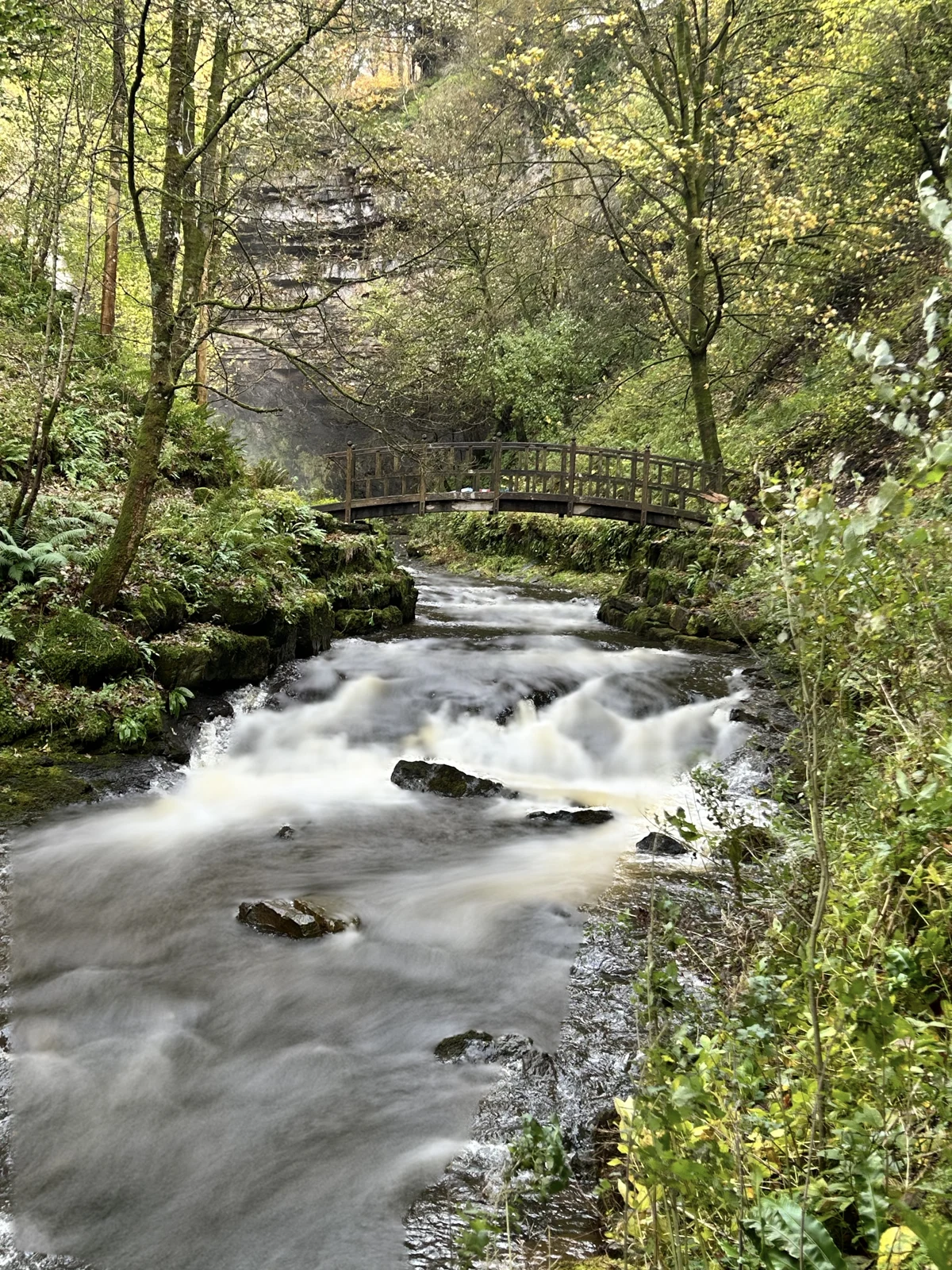
SAME PHOTO. DIFFERENT FEEL.
Drag the slider to compare the original with a SloMoFlo edit. These are real images from the app.
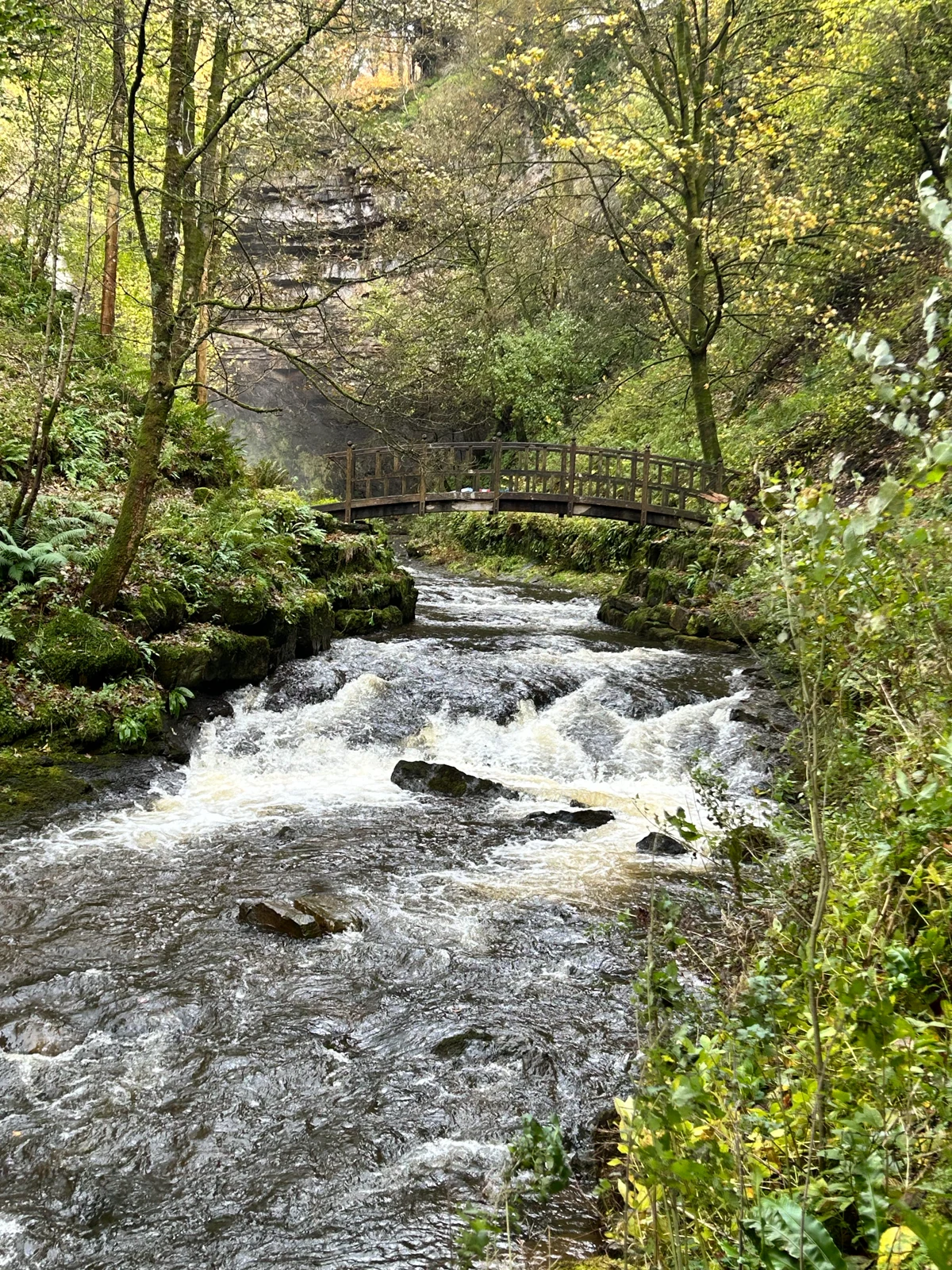 OriginalSloMoFlo
The same woodland Live Photo, before and after. Results vary with the photo and its recording; you can refine the water area yourself.
A FEW TAPS. A NEW FEEL.
Choose a waterfall, river or stream. Its short recording gives SloMoFlo the movement to work with.
Set the strength. Refine the water area, protect detail, or adjust the colour and framing while you preview.
Compare with your original, then save or share a new photograph. Your original stays as it was.
STAYS CLOSE TO HOME
No account to create, no photo to upload and no cloud rendering to wait for. Your Live Photo supplies the picture and movement.
Read the privacy policySloMoFlo is getting ready for its first App Store release.